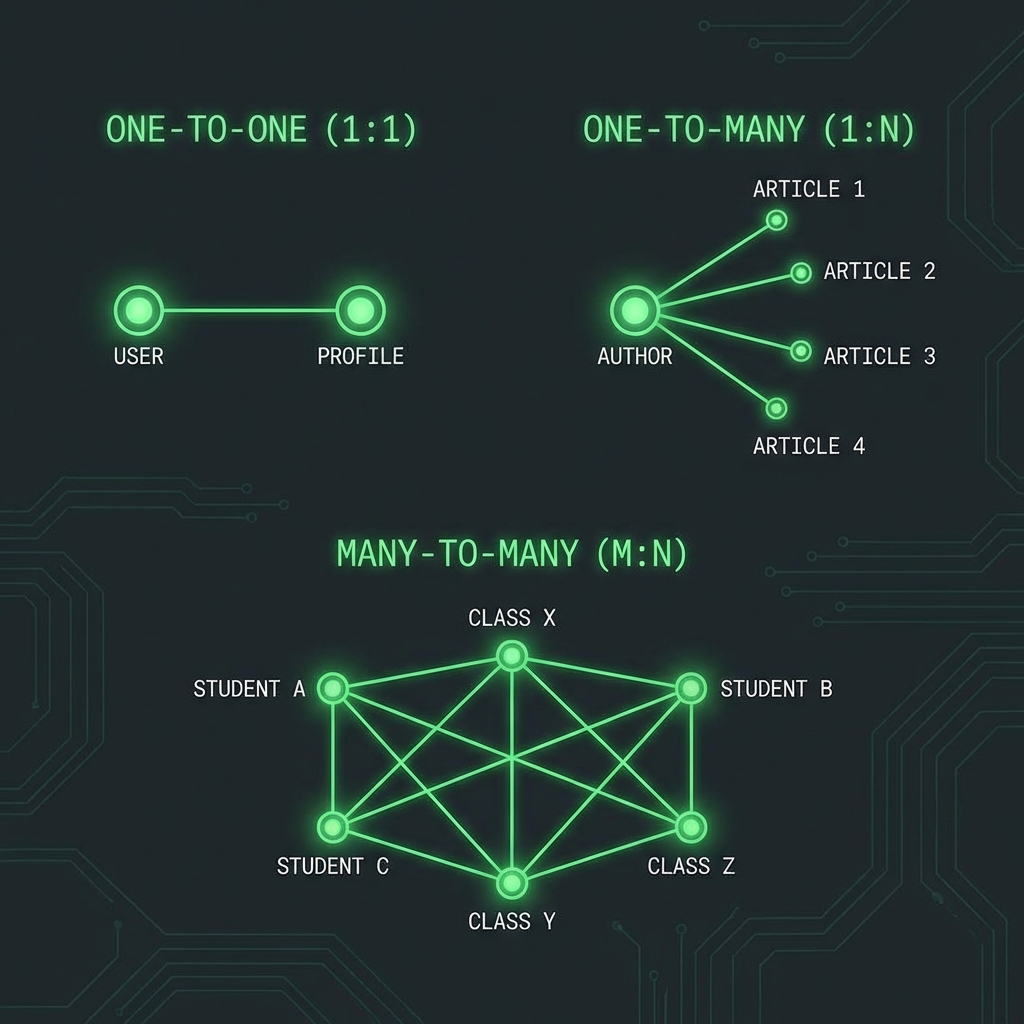
One-to-One, One-to-Many, & Many-to-Many in MongoDB
Welcome back to Day 2! Yesterday, we debated Embedding vs. Referencing. Today, we apply that knowledge to the three standard relationship types: 1:1, 1:N, and N:M.
1. One-to-One (1:1)
This is the simplest relationship. Example: A User has one Profile.
Strategy: Embed (99% of the time)
Unless the profile is massive or rarely accessed, just put it inside the user document.
{
  "_id": "user1",
  "username": "codemaster",
  "profile": {
    "bio": "I love coding",
    "avatar": "image.png"
  }
}
Query: db.users.findOne({_id: "user1"}) retrieves everything.
Strategy: Link (Rare)
Use this if the “Profile” is very large (e.g., contains a binary image) and you often need the “User” info without loading the heavy “Profile”.
2. One-to-Many (1:N)
This is the most common relationship. Examples:
- One-to-Few: A Person has a few Phone Numbers.
- One-to-Many: A Blog Post has many Comments.
- One-to-Squillions: A Server has infinite Logs.
Scenario A: One-to-Few (Embed)
Use an array of subdocuments.
{
  "name": "John",
  "phones": [
    { "type": "home", "number": "123-456" },
    { "type": "work", "number": "789-012" }
  ]
}
Scenario B: One-to-Many (Reference or Hybrid)
If a post has 5000 comments, embedding them all risks hitting the 16MB document limit. Best Practice: Reference the “One” side from the “Many” side.
// Comment Document
{
  "_id": "comment1",
  "text": "Great post!",
  "post_id": "post999"  // Reference to Parent
}
Query (with Mongoose):
// Find all comments for a post
const comments = await Comment.find({ post_id: "post999" });
3. Many-to-Many (N:M)
Example: Students and Courses.
- A Student takes many Courses.
- A Course has many Students.
Strategy: Arrays of References
You can store an array of IDs on one or both sides.
Option A: One-Way Embedding (Students know their courses)
// Student Document
{
  "_id": "student1",
  "name": "Alice",
  "course_ids": ["math101", "cs102", "hist200"]
}
Pros: Easy to find “all courses for Alice”. Cons: Hard to find “all students in Math 101” (requires scanning all students).
Option B: Two-Way Embedding (Both know each other)
// Student
{ "_id": "student1", "courses": ["math101"] }

// Course
{ "_id": "math101", "students": ["student1"] }
Pros: Fast reads from both directions. Cons: Data Consistency. If Alice drops Math 101, you must update two documents.
Code Example (Mongoose Population)
Let’s see how Mongoose handles this “Population” (joining).
const studentSchema = new Schema({
  name: String,
  courses: [{ type: Schema.Types.ObjectId, ref: 'Course' }]
});

const courseSchema = new Schema({
  title: String,
  students: [{ type: Schema.Types.ObjectId, ref: 'Student' }]
});

// Create
const math = await Course.create({ title: "Math 101" });
const alice = await Student.create({ name: "Alice", courses: [math._id] });

// Read with Population
const studentWithCourses = await Student.findById(alice._id).populate('courses');
console.log(studentWithCourses.courses[0].title); // "Math 101"
4. Summary Table
| Pattern | Example | Recommended Approach |
|---|---|---|
| 1:1 | User-Profile | Embed |
| 1:Few | User-Addresses | Embed (Array) |
| 1:Many | Post-Comments | Reference (Child references Parent) |
| 1:Squillions | Device-Logs | Reference (Child references Parent) |
| N:M | Students-Courses | Array of References (One-way or Two-way) |
🧠 Daily Exercise
Design a schema for a Twitter/X Clone.
- Users follow other Users (N:M).
- Users post Tweets (1:N).
- Tweets have Likes (1:N).
Hint: For “Likes”, if a tweet has 1M likes, you don’t want an array of 1M user IDs inside the tweet document! What’s the alternative?
See you on Day 3, where we learn about Schema Design Patterns like the Bucket and Subset patterns! 🏗️