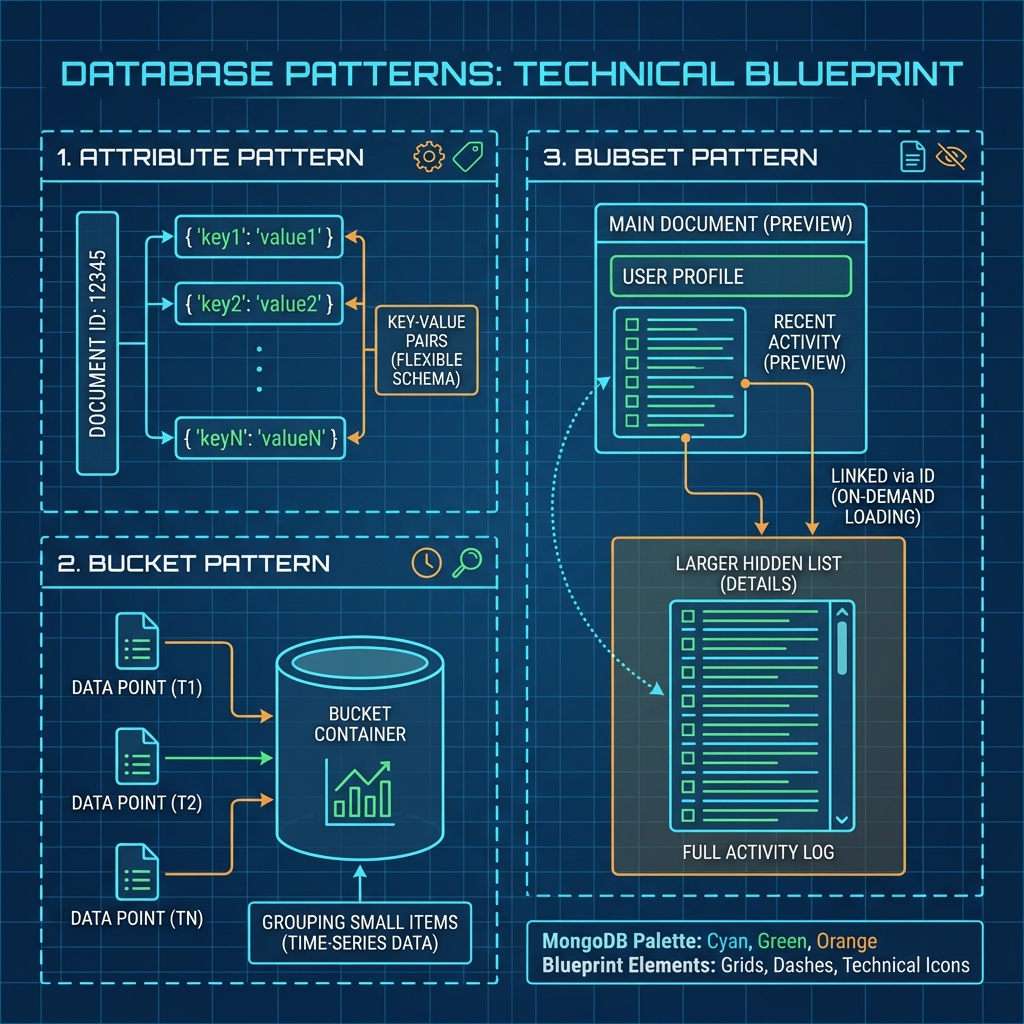
Powerful Schema Design Patterns in MongoDB
Welcome to Day 3! We’ve covered the basics of Embedding vs. Referencing. Now, let’s look at specific Design Patterns—proven solutions to common modeling problems.
MongoDB data modeling patterns often arise from the need to work around the 16MB document limit or to optimize for read performance.
1. The Attribute Pattern
Problem: You have a collection of products (e.g., Electronics, Clothes). Each product has different specifications.
- Laptops have
cpu,ram,storage. - Shirts have
size,material,brand. - Movies have
director,runtime,rating.
Bad Approach: Creating a different field for every possible attribute. Indexes become a nightmare.
{ "product": "MacBook", "cpu": "M1", "ram": "16GB" }
{ "product": "T-Shirt", "size": "L" }
Querying “Find all products with size L” requires a specific index on size.
Solution: The Attribute Pattern Move these variable fields into an array of key-value pairs.
{
  "name": "MacBook Pro",
  "specs": [
    { "k": "cpu", "v": "M1" },
    { "k": "ram", "v": "16GB" },
    { "k": "storage", "v": "512GB" }
  ]
}
Why is this good?
You only need ONE Compound Index to search any attribute: db.products.createIndex({"specs.k": 1, "specs.v": 1}).
2. The Bucket Pattern (Time-Series)
Problem: Storing distinct documents for every sensor reading or log entry creates billions of documents and bloats your index size.
Bad Approach: One document per reading.
// 1 Million of these...
{ "sensor": "Temp1", "val": 22.5, "time": "12:00:01" }
{ "sensor": "Temp1", "val": 22.6, "time": "12:00:02" }
Solution: The Bucket Pattern Group (“bucket”) readings together by time (e.g., per hour or day).
{
  "sensor_id": "Temp1",
  "date": "2025-08-04",
  "readings": [
    { "time": "12:00:01", "val": 22.5 },
    { "time": "12:00:02", "val": 22.6 },
    // ... hundreds more
  ],
  "sum": 4500, // Pre-computed stats
  "count": 200
}
Benefits:
- Reduces total number of documents.
- Makes retrieving “history for the last hour” 1 read instead of 600 reads.
- Better data compression.
3. The Subset Pattern
Problem: The “One-to-Many” problem. You have a detailed Book document and 5,000 Reviews. You want to show the Book details page quickly, which includes the top 5 reviews.
Bad Approach:
- Embed All? Document becomes too large.
- Reference All? Requires a second query to fetch reviews just to show the page.
Solution: The Subset Pattern Keep the full list of reviews in a separate collection, but keep a subset (top 5) embedded in the Book document.
// Book Document
{
  "_id": "book1",
  "title": "Dune",
  "author": "Frank Herbert",
  "reviews_count": 5000,
  // The 'Subset' - just enough for the UI
  "top_reviews": [
    { "user": "Paul", "rating": 5, "text": "Masterpiece!" },
    { "user": "Chani", "rating": 5, "text": "Loved it." }
  ]
}

// Review Collection (The Full List)
{ "book_id": "book1", "user": "Paul", "rating": 5, ... }
{ "book_id": "book1", "user": "Baron", "rating": 1, ... }
Benefit:
Your application makes 1 round trip to get the Book + Top Reviews. You only go to the reviews collection if the user clicks “See All”.
4. Summary
| Pattern | Use Case | Key Benefit |
|---|---|---|
| Attribute | Products with unpredictable fields | Easy indexing of variable data |
| Bucket | IoT / Time Series / Logs | Compression & fewer documents |
| Subset | “See Top 5” UI requirements | Faster page loads (1 query) |
🛠️ Practice Time
Think about an E-Commerce Order. An Order has many Line Items.
- Usually, an order has 1-10 items (Embed!).
- But what if a B2B customer orders 5,000 different screws in one order?
- How would you apply the Subset Pattern here? (Hint: Embed the first 20 items for the “Order History” list, reference the rest for the “Order Details” page).
See you on Day 4, where we discuss the trade-offs of Normalization vs. Denormalization! ⚖️